Secure & Private
Your data is encrypted and always protected.
Structured training. Built around you.
Whether you're starting your first workout or pushing your training to the next level, MyGymCoach gives you the structure, guidance, and tools to keep progressing.
SEE MYGYMCOACH IN ACTION
Watch a quick walkthrough to see how MyGymCoach helps you plan, track, and improve your training—all in one place.
Keep your workouts, check-ins, and progress with you on every device.
Account Access
One account works on the website and in the app. Payments are handled securely by Stripe.
Your data is encrypted and always protected.
Powered by Stripe for secure checkout.
Access your training anytime, anywhere.
How it works
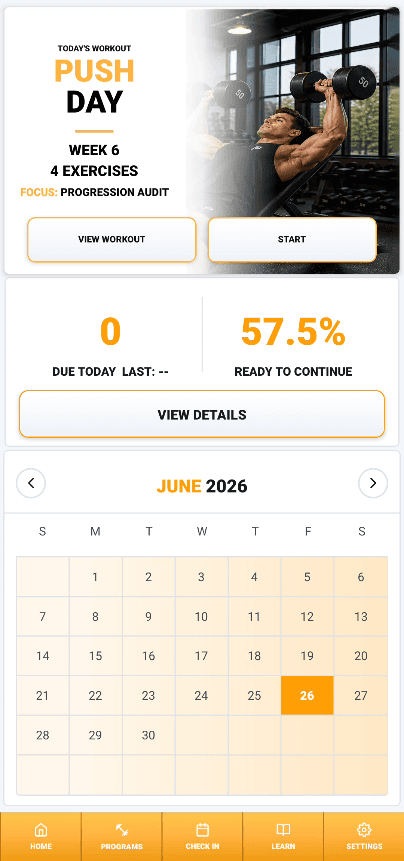
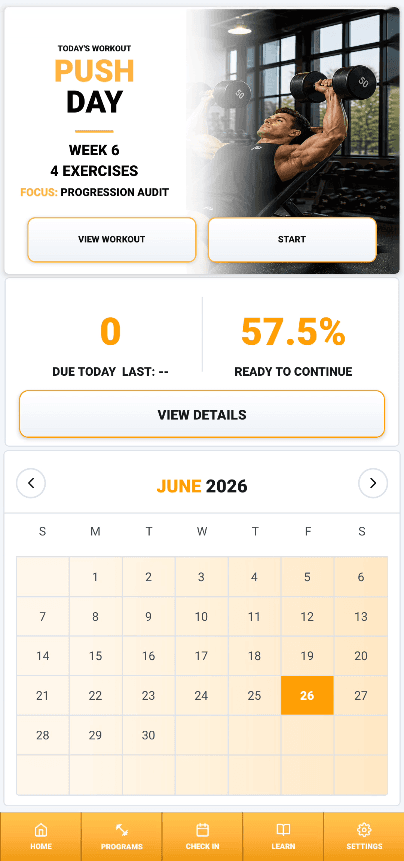
My Gym Coach takes you from building your program to knowing exactly when it's time to recover. Start with a proven training template, customize it to fit your preferences, choose how each exercise progresses, log every workout with intelligent workout cards, and let the built-in fatigue system help guide your recovery and deload timing.
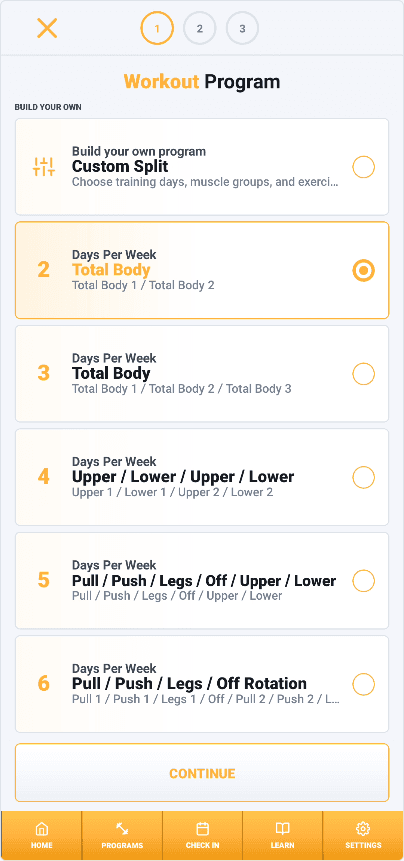
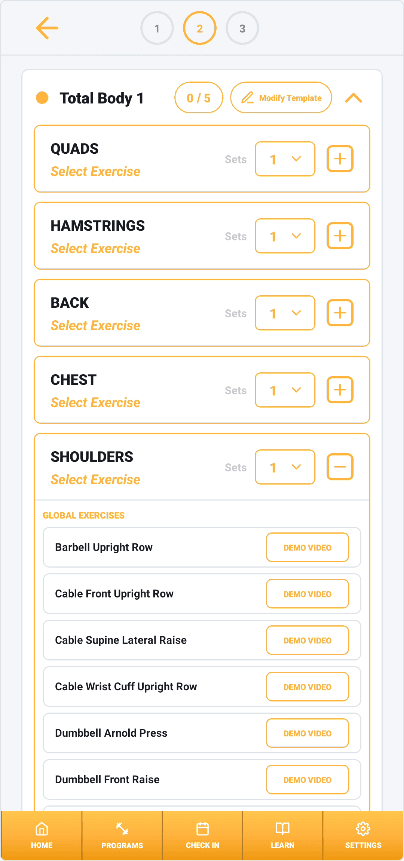
Choose from professionally designed training templates built to maximize your results based on the number of days you train each week. Then make it your own by swapping exercises for each muscle group, adjusting your split, and customizing your program to fit your goals and preferences.
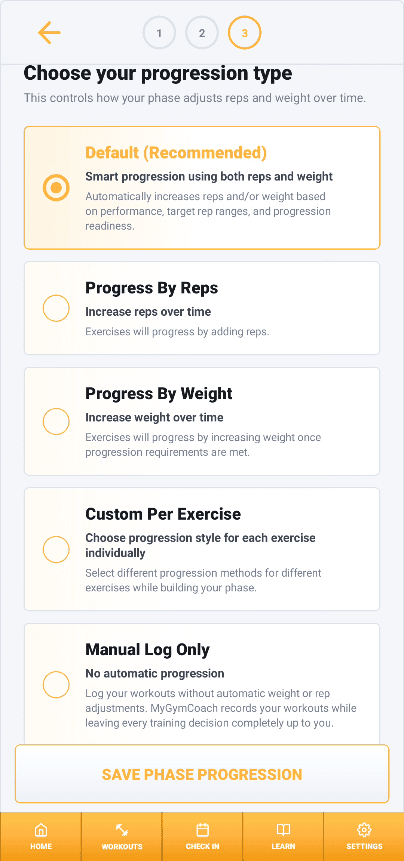
Decide how every exercise progresses throughout your phase. Choose from Default, Reps, Weight, or Custom progression methods, giving you complete control over how each exercise progressively overloads based on your training style and goals.
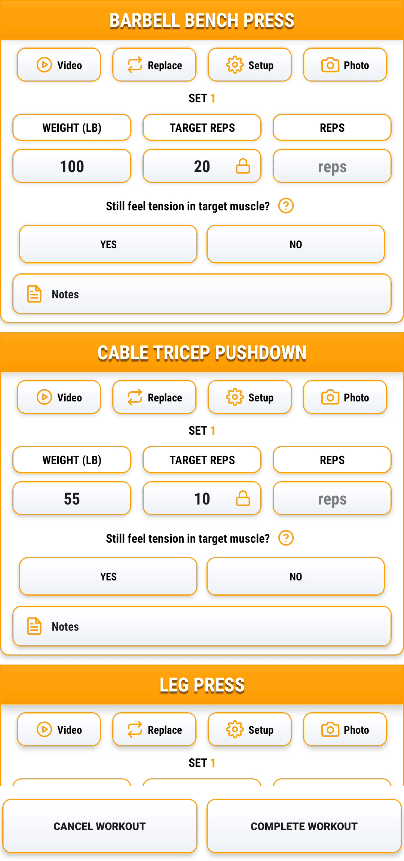
Intelligent workout cards log every lift by tracking your weights, reps, setup photos, videos, notes, and previous performance. Using your chosen progression method, My Gym Coach automatically calculates your next workout targets, so you always know exactly what to aim for without doing the math yourself.
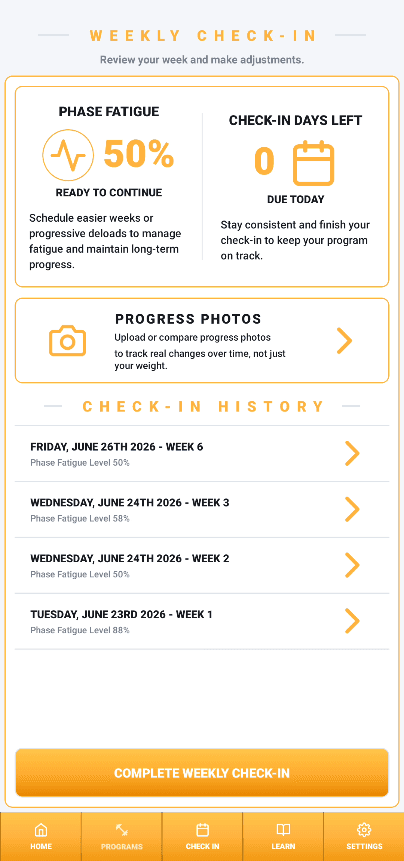
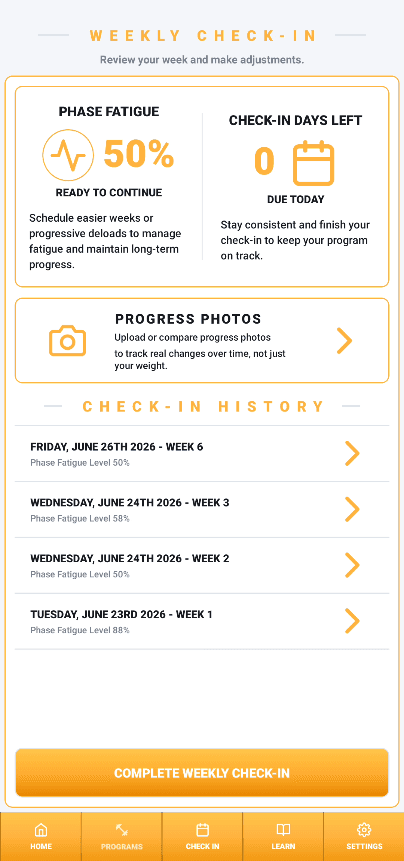
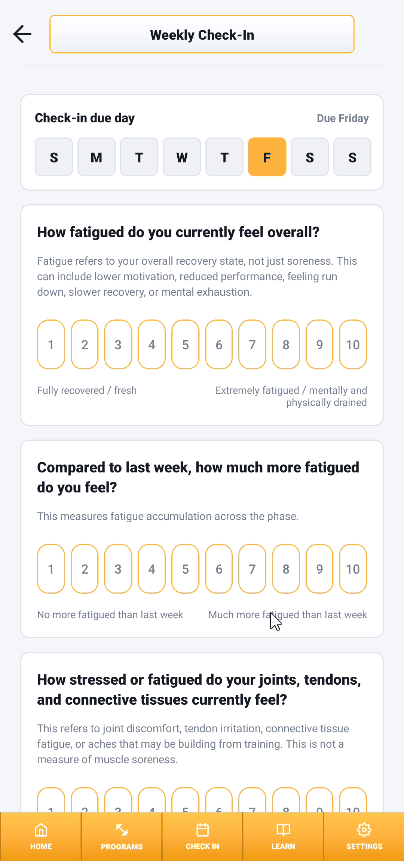
Complete quick weekly check-ins to track your recovery, performance, motivation, stress, and training quality. My Gym Coach automatically calculates your fatigue score and provides guidance on when it's time to recover or take a deload before progress starts to stall, helping you stay healthy and continue making progress.
BUILD YOUR WORKOUT PROGRAM
Build a fully personalized training phase in three simple steps.
Choose your schedule, customize your workouts, and select how you want to progress.
Pick how many days you train each week or build your own custom split.
Swap, add, or remove exercises for each muscle group to build your perfect workouts.
Select how your phase will progress and automatically adapt over time.
SMART WORKOUT CARDS
Unlike traditional workout apps that simply record your lifts, My Gym Coach gives you everything you need to perform every exercise with confidence. Watch demonstration videos before each exercise, instantly replace an exercise with a single tap, and view your target weights, reps, previous performance, and workout history without ever leaving your workout. During your first week, simply enter the weight and reps you complete. From that point on, My Gym Coach automatically calculates your next workout targets based on your chosen progression method, so you always know exactly what to aim for. After every set, you'll also record whether you maintained tension in the target muscle, helping the app make smarter progression decisions that prioritize muscle growth through quality execution—not just adding more weight.
PERSONAL VIDEO LIBRARY & SHARING
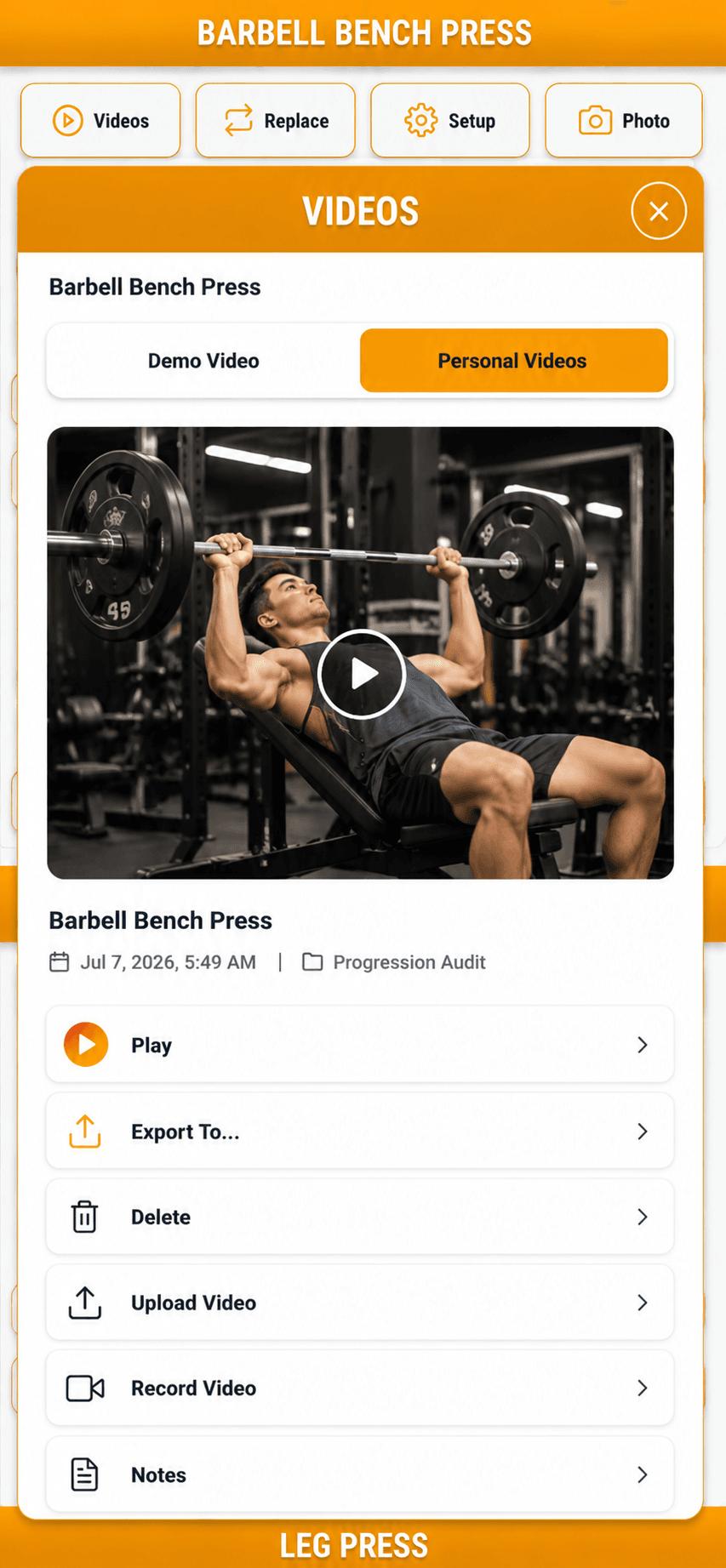
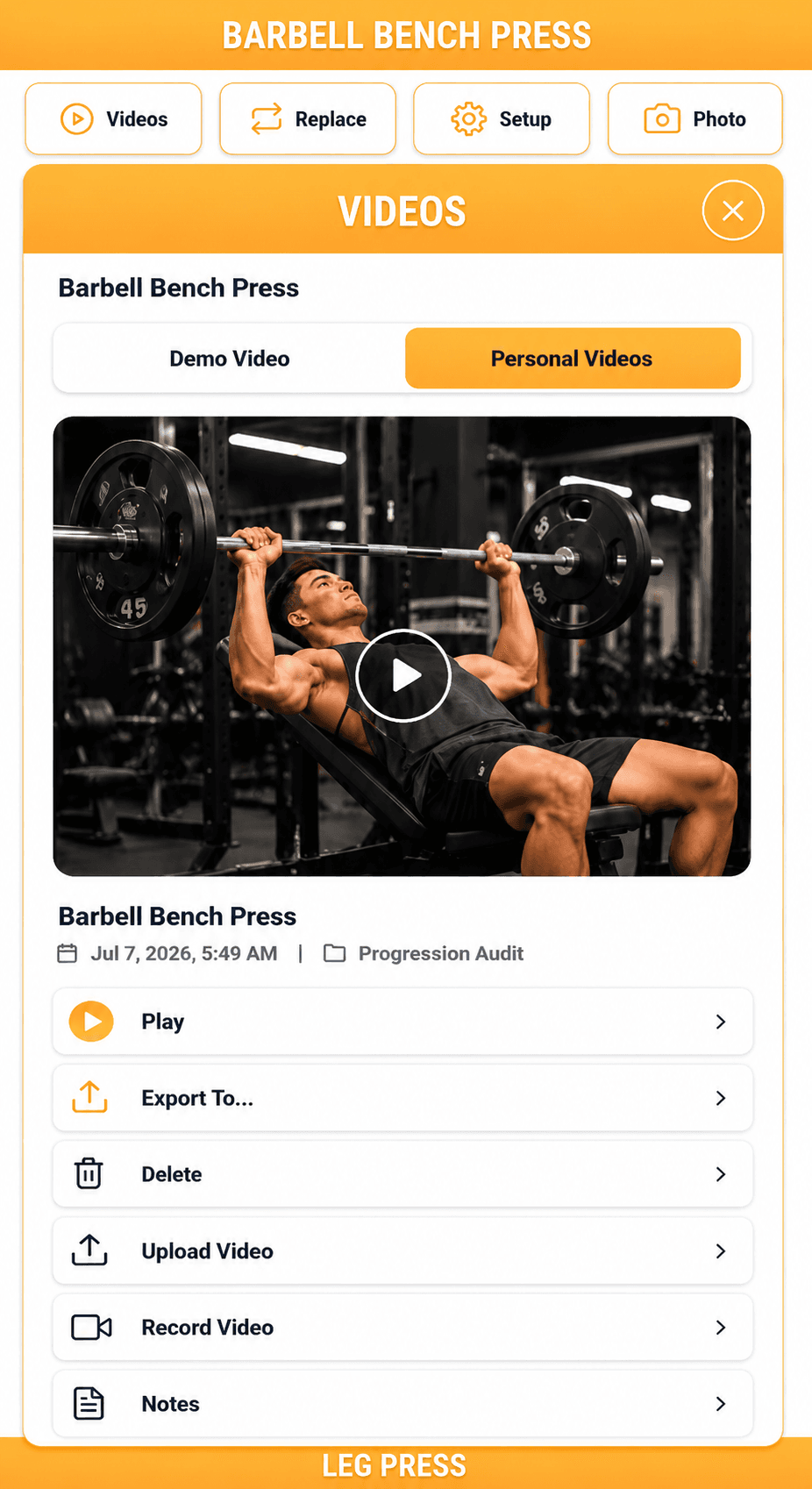
Turn every workout into a permanent record of your progress. Save multiple videos for every exercise, revisit previous sessions to refine your technique, and watch your form evolve over months and years. Every video is automatically organized by exercise, creating a searchable library of your lifts. Export clips to your personal storage, send them directly to your coach for detailed feedback, or share your accomplishments with friends and followers—all from one place.
SETUP MEMORY
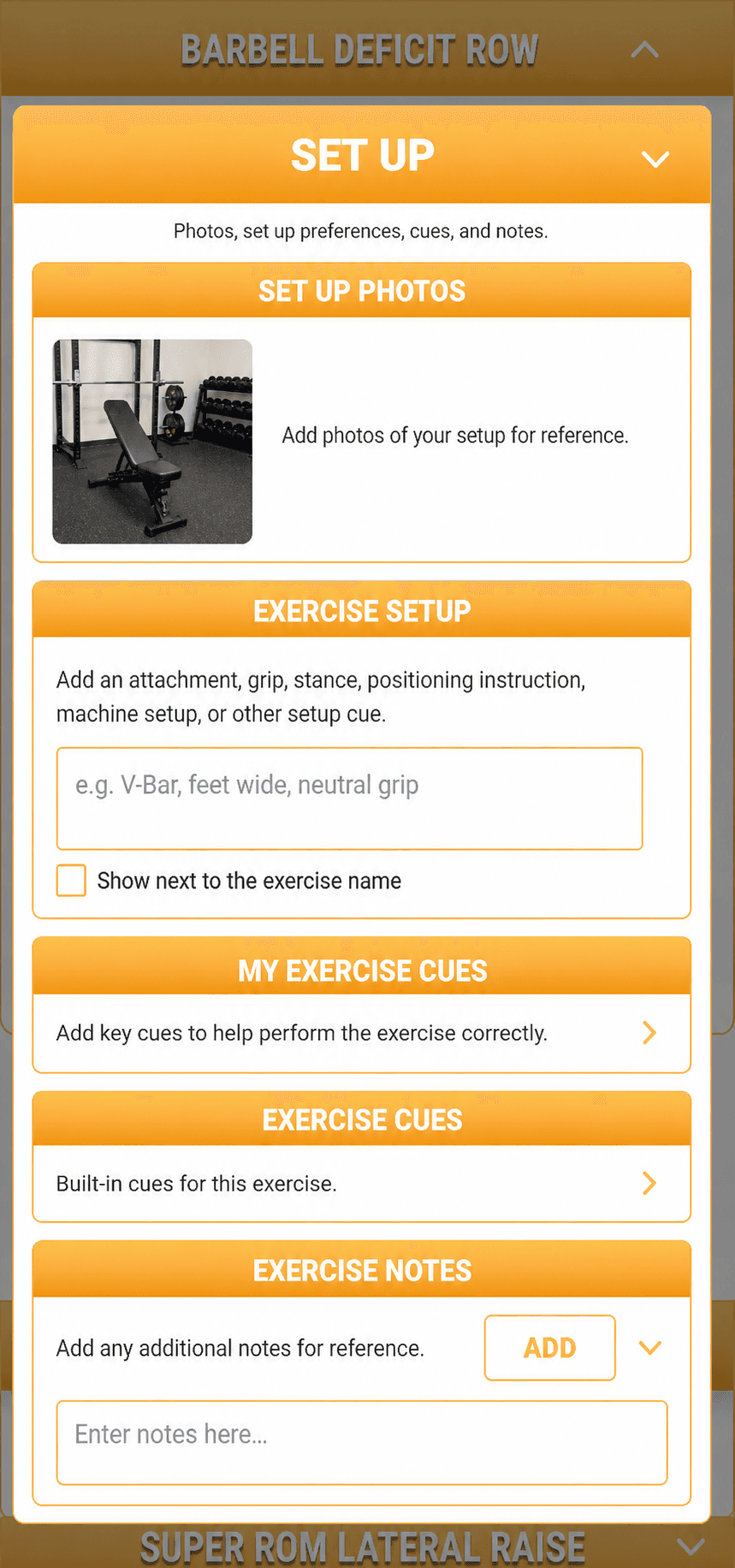
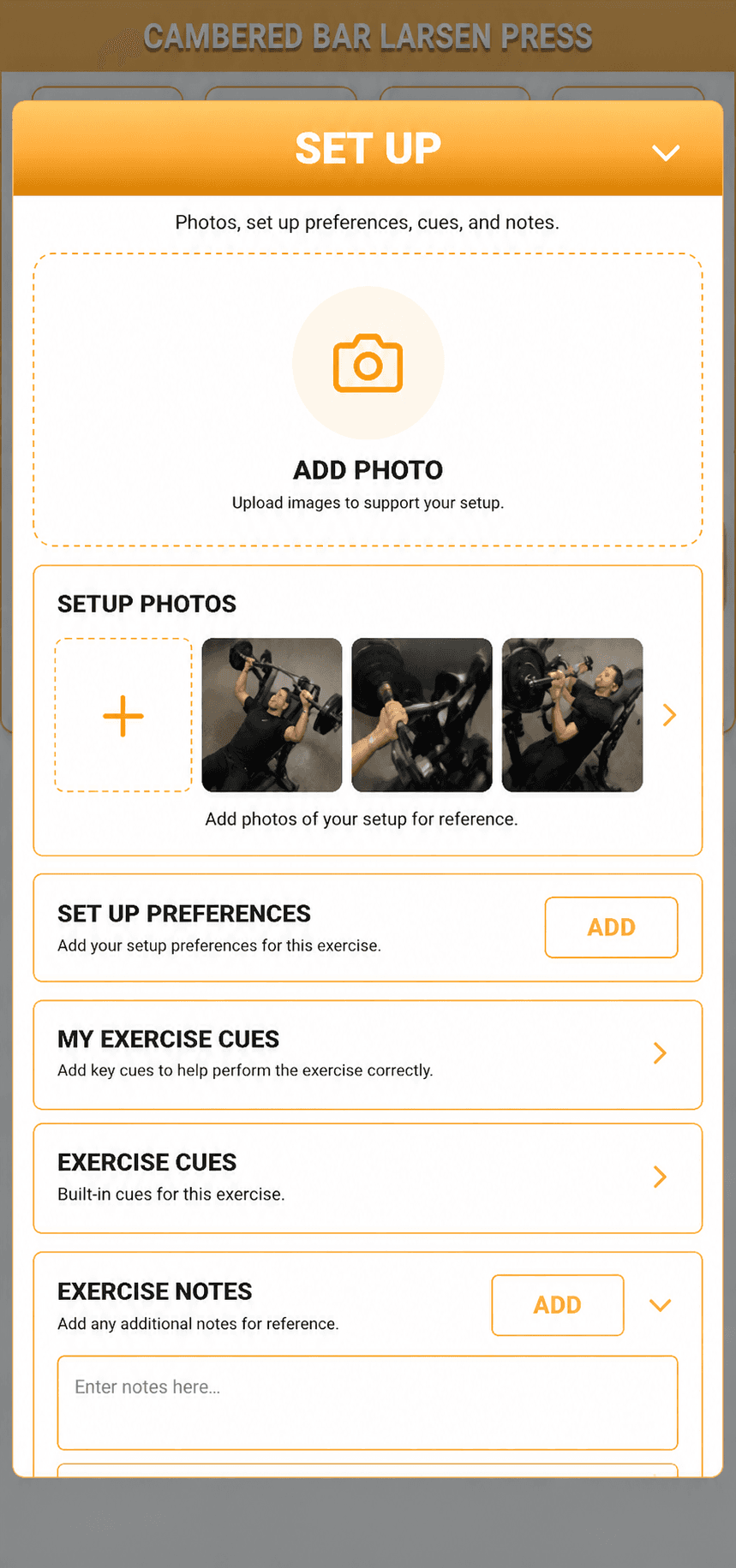
Every exercise has details that are easy to forget—bench angle, seat height, cable attachment, grip width, foot position, or the cue that finally made you feel the target muscle. My Gym Coach lets you save setup photos, technique cues, notes, and reminders that stay permanently linked to each exercise. The next time you perform that movement, everything is right there on your workout card, helping you recreate the same setup and execution every session for more consistent performance and better results.
SMART CHECK-INS & FATIGUE SYSTEM
Building muscle isn't just about how hard you train; it's about knowing when your body is ready to keep pushing. My Gym Coach's Smart Check-In system guides you through a simple weekly process that tracks your recovery, calculates your fatigue, and helps you make smarter decisions about when to continue progressing or schedule a deload.
STEP 1
Once a week, answer a quick series of questions about your recovery, motivation, stress, joint health, energy levels, and overall fatigue. You can also upload progress photos to visually track how your physique changes throughout your training phase.
STEP 2
My Gym Coach combines your weekly check-in responses with your workout performance and target-muscle tension feedback to calculate your personalized Phase Fatigue score. As fatigue accumulates, the app provides guidance on when to continue progressing, prioritize recovery, or schedule a deload, helping you stay consistent and continue making long-term progress.
LEARN THE WHY
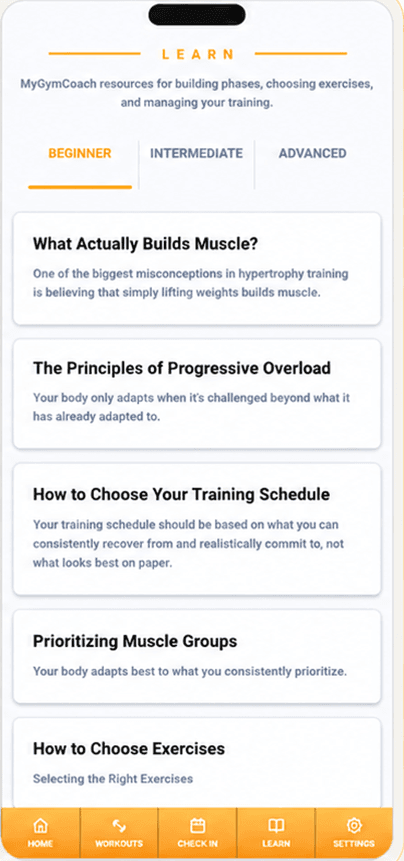
Never stepped foot in a gym before? No problem. MyGymCoach includes a comprehensive learning library designed to help you succeed at every stage of your fitness journey.
Our library is organized into Beginner, Intermediate, and Advanced sections, so the content grows with you as your knowledge and experience improve. Start by learning what actually builds muscle, how to choose the right exercises, and how to create a workout program that fits your schedule.
As you progress, you’ll dive deeper into exercise execution, range of motion, mind-muscle connection, progressive overload, fatigue management, advanced training principles, and more.
No matter your level, MyGymCoach gives you the knowledge to train with confidence, make smarter decisions, and keep getting better—long after your first workout.
FAQ
The essentials for understanding how My Gym Coach fits into real gym training.
Yes. MyGymCoach is designed to be easy to understand for beginners while still giving experienced lifters the customization, tracking, and progressive overload tools they expect.
No. You can choose a training structure that fits your schedule and build from there. The app helps organize your training days, muscle groups, exercises, sets, and progression without forcing you into a fixed routine.
MyGymCoach includes beginner and advanced learning libraries that explain workout programming, exercise selection, sets, reps, rest periods, progressive overload, fatigue management, recovery, and other important training concepts.
Yes. You choose the exercises in your program and can replace or organize them based on your goals, preferences, equipment, and training experience.
You set your starting weights and reps during your first week. After that, your selected progressive overload method uses your recorded performance to determine what you should aim for next.
Yes. You can use progression by weight, progression by reps, custom progression for individual exercises, or Manual Log Only when you do not want automatic recommendations.
Smart check-ins help you monitor fatigue, recovery, stress, motivation, and training performance throughout each phase. You can also review your previous check-ins to identify changes and patterns over time.
Yes. You can record or upload your own exercise videos, save setup photos, and attach personal cues and notes to each exercise so the details are available whenever you train.
Yes. You can create custom exercises with your own names, muscle groups, notes, videos, and setup references, then reuse them throughout your workout programs.
Yes. Your completed workouts and training phases are saved so you can review your performance over time. You can also organize progress photos by month to track physical changes.
Yes. Rest timers are optional, and you can turn automatic progression off by choosing Manual Log Only. This lets you record your weights, reps, and notes without receiving progression recommendations.
After the 14-day free trial, you can continue using MyGymCoach with a paid subscription. The available subscription options and current pricing will be shown before you complete signup.
Ready to get started?
Build your phase, train with clear targets, and keep the details that make your next session better than the last.
Start free and experience what structured training feels like.